Quasimorph Inventory Management Guide
Patch 1.0.1 Cargo Hold tabs, hotkeys, and sorting habits that keep extractions clean
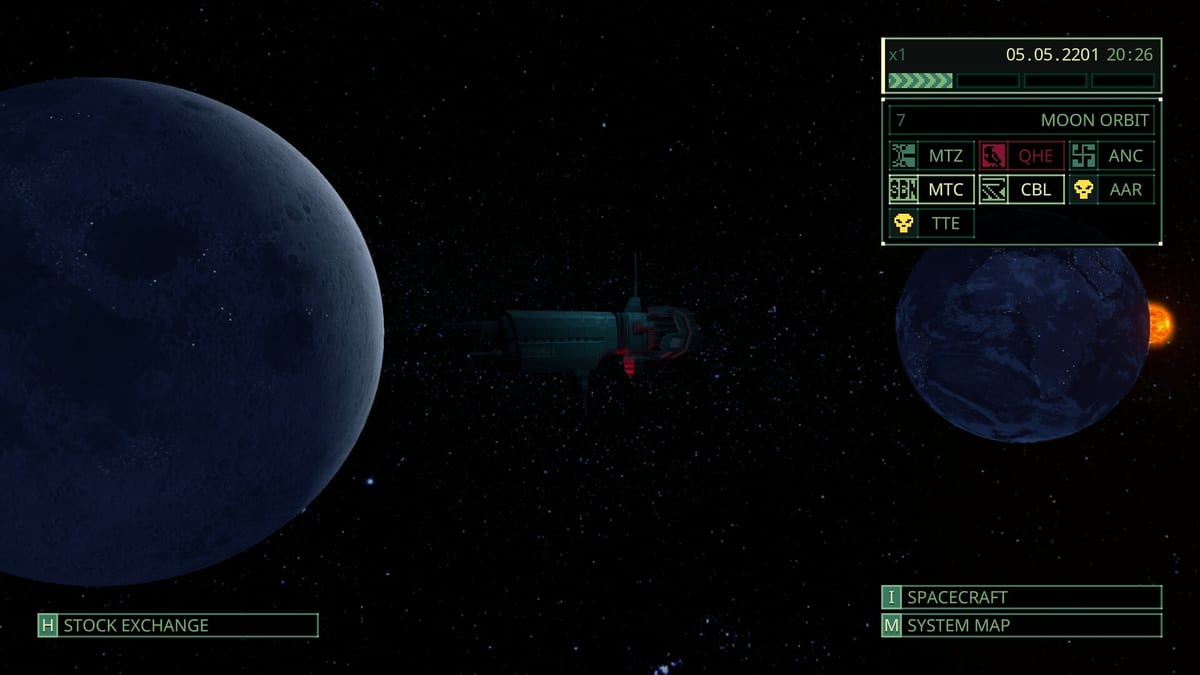
Quasimorph inventory is not a spreadsheet hobby — it is the difference between extracting with a Class Chip and leaving a corpse full of Magnum parts on a Phobos floor. Patch 1.0.1 (August 2026) reworked how clones carry, sort, and repair kit between the Magnum Cargo Hold, mission lockers, and on-station loot panels. Hotfix 1.0.562 layered tab cycling and smarter cursor placement on top. If you still treat ship storage like Early Access scrolling hell, you are burning minutes between contracts and mis-clicking gear under fire.
This guide explains the 1.0.1 inventory overhaul: Cargo Hold tab filters and renaming, the new hotkey layer, Ctrl-hover transfers, repair-by-drag, weapon switching while panels stay open, and how melee, ranged, and augments now sort separately. Pair it with Loot Priority for what to keep, Keyboard Controls for exact bindings, Patch 1.0.1 Notes for the full changelog, and Bartering on the Magnum for post-sort trading.
Why the 1.0.1 inventory pass matters
Clone permadeath did not change. Everything still on your back when you die stays on the station. What changed is speed and clarity under pressure:
- Fewer nested clicks moving stacks between clone panels, ground loot, and containers.
- Clearer weight and volume feedback before you accept a contract.
- Dedicated Cargo Hold tabs with filters instead of one infinite scroll pile.
- Bindable shortcuts for tab cycling, quick transfer, repair, and weapon swaps.
The overhaul does not rewrite crafting recipes or faction loot tables. It changes how fast you can act when a Conquest armory locker opens mid-combat. Players who lived in mods during Early Access should relearn vanilla flows first — official bindings now cover most of what community injectors added.
Cargo Hold tabs, filters, and renaming
The Magnum Cargo Hold is your long-term memory between missions. Patch 1.0.1 treats it as a tabbed warehouse rather than a single bag:
- Create and rename tabs for roles you actually run — meds, ammo, melee, ranged, trade goods, damaged gear awaiting repair, or a “fresh loot” inbox tab that stays nearly empty.
- Category filters narrow each tab to item types so you are not hunting a machete inside a pile of shuttle junk.
- Drag between tabs still works; Shift-drag can move all stacks of the same item type into the tab you drop on, which is how veterans empty post-mission hauls in seconds.
A practical starter layout many mercs use after 1.0.1:
- Inbox / fresh loot — keep three or four rows max; everything new lands here first.
- Ranged weapons and ammo — paired so orphan magazines are obvious.
- Melee and armor — chest rigs, backpacks, and blades together.
- Meds and consumables — bandages, medkits, food, Quasimorphosis reducers.
- Crafting and Magnum parts — Conveyor, Monitoring, Scanner components.
- Trade and shuttle fuel — goods you will barter or reputation-sell.
- Repair queue — damaged kit waiting for kits or bench time.
Rename tabs in plain language your future self understands at 2 a.m. after a failed RealWare push. “Tab 4” is how duplicate ammo brands survive until you overweight a clone.
Melee, ranged, and augments now sort separately
Before 1.0.1, weapon lists mixed melee rifles with pistols and buried augments beside firearms. The rework splits categories so loadout prep matches combat reality:
- Melee weapons filter independently from ranged weapons — no more scrolling past shotguns to find a series-of-hits blade.
- Augmentations sit in their own lane, separate from guns and armor, which mirrors how Augmentations and Body Mods installs work on the Operatives Screen.
- Filters respect these splits in both Cargo Hold and on-mission inventory, so the same mental model follows you from the Magnum to a corpse strip.
When you pack for a robot floor, filter ranged for pierce ballistics, filter melee for cut, and keep augments visible so pact-linked implants do not get sold as vendor trash. Cross-check damage plans in Midgame Combat before you lock a preset.
Hotkeys: tabs, Cargo Hold, and Operatives Screen
Patch 1.0.1 and hotfix 1.0.562 added bindable inventory shortcuts listed under Options → Keybindings. Defaults can shift between build strings — confirm after every Steam update. The important groups:
| Action | What it does |
|---|---|
| Open Cargo Hold | Jump straight to ship storage between contracts without hunting nested Magnum UI. |
| Open Operatives Screen | Open clone gear management for loadout swaps, augments, and preset edits. |
| Previous / next inventory tab | Cycle clone gear, ground loot, and container panels without clicking headers. Added in 1.0.562. |
| Move selected item to target tab | Send the highlighted stack to the panel you last focused — pair with tab cycle keys to empty corpses keyboard-first. |
Full binding names and rebind tips live on Keyboard Controls. Document your layout once; clones inherit gear, not settings, across permadeath runs.
Ctrl-hover quick transfer
Ctrl-click remains the fastest single-item loot shortcut: transfer one stack between the active container and your clone instantly. Patch 1.0.1 extends this with Ctrl-hover transfer:
- Hold Ctrl and hover an item to preview which panel will receive it.
- Click to confirm the transfer without dragging across overlapping UI on smaller resolutions.
Use Ctrl-hover when strip-mining corpses under time pressure — peek weight on the clone tab, hover-transfer meds and mission items first, then bulk-move vendor trash with Shift-drag. On mission, the same modifier works on lockers, shuttle cargo, and ground piles.
Repair by dragging repair kits onto gear
Damaged armor and weapons no longer force you through nested context menus for every fix. With inventory open:
- Drag a repair kit onto the damaged item.
- The kit consumes according to item tier; failed drags usually mean wrong kit type or insufficient kit charges.
Keep a repair queue tab in Cargo Hold for gear you extracted broken but still worth fixing — common for barter weapons and mid-tier chest rigs. Repair before you barter if the damage penalty would wipe trade value; see Bartering on the Magnum for reputation-safe selling. Do not repair vendor trash you planned to dismantle — check Crafting and Consumables salvage value first.
Switch active weapon while inventory stays open
Older builds forced you to close loot panels before swapping firearms — deadly when a door is still hot. 1.0.1 lets you change active weapon while inventory remains open:
- Select a ranged or melee weapon from the split lists.
- Confirm the swap, then continue looting without reopening the container.
Pair weapon-switch bindings from Keybindings with tab cycle keys so you can grab a cut shotgun, set it active, and close the panel in one flow. Melee players use this to dump an empty pistol and ready a series-of-hits blade before re-peeking.
Hotfix 1.0.562: tab hotkeys and container cursor
Two 1.0.562 fixes sound minor until you have lost a clone to a mis-click:
- Previous / next tab hotkeys — cycle inventory panels without mouse headers; essential when keyboard-focus looting a squad wipe.
- Container cursor placement — opening a corpse or locker now places the cursor inside the container panel, not on your clone inventory by default.
That cursor fix alone saves dozens of drag corrections per mission. Combined with tab cycling, you can open a locker, tab to clone gear, hover-transfer mission items, tab back, and Shift-drag ammo stacks without the UI fighting your focus.
Sorting workflow: extract to barter without chaos
Run this loop after every successful mission:
- Land everything in the inbox tab — do not sort mid-mission unless weight forces it.
- Secure mission items and unlocks per Loot Priority.
- Shift-drag categories into named tabs — ranged, melee, meds, parts, trade.
- Repair queue — kit-drag anything worth fixing before barter.
- Equip next contract on the Operatives Screen; stash surplus.
- Barter or shuttle only after piles are labeled — Bartering on the Magnum and Trade Shuttle assume you know what you are selling.
On mission, open containers with 1.0.562 cursor placement, Ctrl-hover mission-critical loot first, weapon-switch if the room demands a new damage type, then extract before the inbox habit becomes “one more crate” greed.
Related reading
- Loot Priority — what to keep before you sort.
- Keyboard Controls — full hotkey list and rebind workflow.
- Patch 1.0.1 Notes — trading UI, HUD implants, and mission prep in the same patch.
- Bartering on the Magnum — sell deliberately after sorting.
- Wounds and Medicine — med tab contents that actually save extracts.
- Post-1.0 Hotfixes — 1.0.562 context beside 1.0.1.
Inventory management is how Quasimorph rewards planners between firefights. Name your tabs, bind your shortcuts, repair before you barter, and let Patch 1.0.1 do the scrolling you used to mod in.
Frequently Asked Questions
Quick answers to the most common questions.
What changed in Quasimorph inventory with Patch 1.0.1?
Patch 1.0.1 reworked Cargo Hold with tab filters and renaming, split melee and ranged weapons, separated augments, added bindable hotkeys for Cargo Hold and Operatives Screen, Ctrl-hover transfer, repair drag, and weapon switching while inventory stays open.
How do I quickly move loot between containers in Quasimorph?
Use Ctrl-click or Ctrl-hover transfer for single stacks. Shift-drag moves all items of the same type into the tab you drop on. Hotfix 1.0.562 added previous and next tab hotkeys to cycle panels without clicking headers.
How do I repair gear in the Quasimorph inventory?
With inventory open, drag a repair kit onto the damaged weapon or armor piece. Keep a repair queue tab in Cargo Hold for extracted broken gear worth fixing before barter.
Can I switch weapons while looting in Quasimorph?
Yes. Patch 1.0.1 lets you change active ranged or melee weapons while inventory panels stay open, so you can swap damage types mid-loot without closing the container.
What did Hotfix 1.0.562 fix for inventory?
1.0.562 added previous and next inventory tab hotkeys and fixed cursor placement so opening a corpse or locker focuses the container panel instead of defaulting to your clone inventory.
How should I organize Magnum Cargo Hold tabs?
Use a small fresh-loot inbox tab, then separate tabs for ranged plus ammo, melee and armor, meds, crafting parts, trade goods, and a repair queue. Rename tabs clearly and filter by category after each extract.