Quasimorph Controls Hub
Keyboard, mouse, and Steam Deck input for turn-based extraction combat
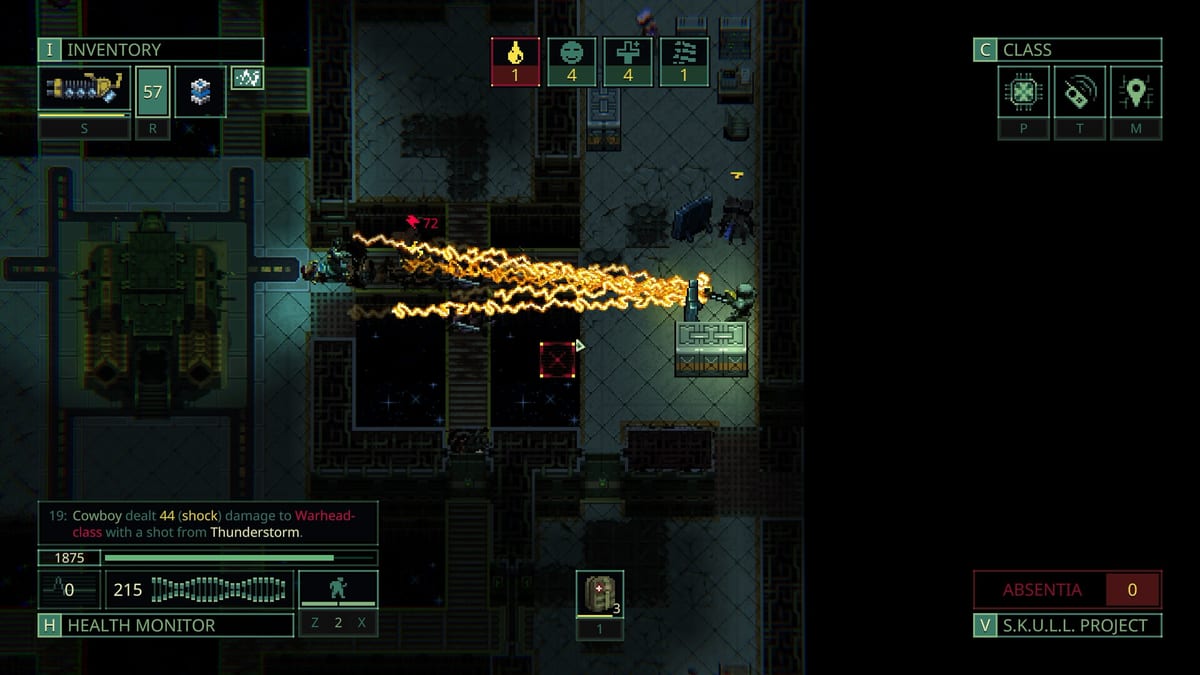
Quasimorph is a turn-based extraction RPG where every action costs time, calories, and often your clone’s life. Learning the controls early matters as much as picking a class or packing medkits. Magnum Scriptum built the game around grid movement, context menus, and mouse-driven inventory, so most veterans run a hybrid of keyboard shortcuts plus precise clicks. The full 1.0 release on Steam (July 31, 2026) polished several binding options, but the core loop remains: move, examine, fight, loot, and extract before the Quasimorph timer or enemy reinforcements end your run.
This hub collects everything you need to configure Quasimorph comfortably on desktop and handheld. Confirm your rig meets System Requirements — Steam minimum specs, Hotfix 1.0.561 FPS defaults, and 1.0.562 windowed V-Sync — before tuning bindings. Start with the Keyboard Controls page if you play on PC. It covers movement, stance cycling, wait/end turn, inventory transfers, examine, reload, throwing with Shift, and door interactions. Those bindings are rebindable under Options, which matters because default arrow-key movement feels awkward until you remap to WASD.
Handheld players should read Steam Deck Controls next. Quasimorph has no official full gamepad template at launch, but community Steam Input layouts map the left stick to movement and the right trackpad to a virtual mouse. That workaround plays well for combat and exploration, though throwing weapons and closing doors still trip up many layouts because those actions live in context submenus without dedicated keybind slots.
Controls tie directly into combat fundamentals. Stance keys change how many action points you spend per turn: sneaking grants one action but saves calories, walking gives two, and sprinting grants three at an accuracy penalty. Read Combat Stances alongside this hub so you understand when to hold a doorway in sprint versus when to sneak past patrols. New players should also skim Getting Started for mission flow before worrying about perfect keymaps.
Inventory management is where Quasimorph controls feel most mouse-heavy. Patch 1.0.1 added cargo tabs and refined transfer shortcuts; Patch 1.0.2 added a sort button and Cryochamber perishable filters — read the Inventory Management Guide then confirm defaults on Keyboard Controls. Camera drag now follows the mouse; middle-click drags the minimap. Ctrl-click moves items between containers quickly, Shift-click stacks matching loot, and right-click opens examine panels on enemies so you can check resistances before wasting ammo. Holding Shift while attacking throws equipped weapons or grenades. None of that replaces the Loadout Planner for pre-mission prep, but smooth inventory shortcuts save real turns mid-fight.
Quasimorph does not punish you for rebinding. Open Options, scroll to Keybindings, and assign keys that match other roguelikes you already play. Many players bind wait to Space or B, reload to R, and healing to H. If a binding feels missing, check whether the action appears only in a right-click context menu; door close, take all, and finish mission are common examples. Community mods add hotkeys for those menus on PC, but this wiki focuses on vanilla 1.0 behavior.
Use the pages below to dial in your setup, then cross-check Classes and Items so your control scheme matches your build. Melee Eclipse Blades players spam door peeking; Tunnel Rats looters live in inventory panels; Martian Mech Inf gunners reload constantly. The right bindings reduce friction so you can focus on damage types, resistances, and extraction timing across World missions and the broader Walkthrough progression path.
Frequently Asked Questions
Quick answers to the most common questions.
Can I play Quasimorph entirely with a keyboard?
Partially. Movement, wait, stance, reload, and several shortcuts are bindable, but inventory, aiming, and many context actions still expect mouse clicks. Most PC players use keyboard plus mouse.
Where do I change Quasimorph keybindings?
Open Options from the main menu or pause screen, then open Keybindings. Most movement and combat keys can be remapped; some UI actions only appear on context menus.
Does Quasimorph support Steam Deck out of the box?
It runs on Steam Deck, but full comfort usually requires a community Steam Input layout that maps stick movement and trackpad mouse. See our Steam Deck controls page for recommended setups.
What key skips or waits a turn?
The wait action ends your turn without moving. Default bindings vary; many players remap wait to Space or B. Check Keybindings in Options for your current mapping.
How do I examine enemy resistances quickly?
Right-click an enemy during your turn to open their examine panel. You can review armor, wounds, and resistances before choosing a weapon or damage type.
Did Patch 1.0.1 change inventory hotkeys?
Yes. The inventory overhaul refined cargo tabs and Ctrl/Shift transfer shortcuts. Read the Inventory Management Guide and Keyboard Controls page to confirm bindings after updating.